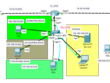
Pembahasan kali ini tentang router cisco, bagaimana untuk Backup dan Restore konfigurasi pada router dan di simpan ke server FTP da TFTP, apa itu FTP, FTP (File Transfer Protocol) adalah internet service yang dirancang untuk membuat sambungan ke server internet tertentu atau komputer, sehingga user dapat mengirimkan file ke komputer (download) atau mengirimkan file ke server (upload), & TFTP adalah singkatan dari (Trivial File Transfer Protocol). Ini adalah teknologi untuk mentransfer file antar perangkat jaringan dan merupakan versi sederhana dari File Transfer Protocol.
ada banyak protocol yang dapat digunakan untuk mentransfer data (backup), contohnya filecatalyst, topik kali ini kita bahas FTP dan TFTP, perbedaan tidak terlalu signifikan , bisa kalian baca – baca di google, langsung saja ke topologinya .


Setting server TFTP dan FTP pada menu FTP isikan username dan password bebas, disini saya menggunakan user : putra dan password : putra, ceklis akses full (Write, Read, Delete, Rename, List) bisa di sesuaikan dengan kebutuhan masing – masing, lalu klik Add
Tambahkan Ipaddress untuk server sesuai topologi di atas.
Buka Commnd line router dengan console di PC lalu pilih terminal
|
1 2 3 4 5 6 7 8 9 10 11 12 13 14 15 16 17 18 19 20 21 22 23 24 25 26 27 28 29 |
Router>en Router#configure terminal Enter configuration commands, one per line. End with CNTL/Z. Router(config)#hostname R1 R1(config)#interface fastEthernet 0/0 R1(config-if)#ip address 123.231.225.1 255.255.255.0 R1(config-if)#no shutdown %LINK-5-CHANGED: Interface FastEthernet0/0, changed state to up %LINEPROTO-5-UPDOWN: Line protocol on Interface FastEthernet0/0, changed state to up R1(config-if)#exit R1(config)#interface fastEthernet 0/1 R1(config-if)#ip address 10.10.10.1 255.255.255.0 R1(config-if)#no shutdown %LINK-5-CHANGED: Interface FastEthernet0/1, changed state to up %LINEPROTO-5-UPDOWN: Line protocol on Interface FastEthernet0/1, changed state to up R1(config-if)#exit R1(config)#ip ftp username putra R1(config)#ip ftp password putra R1(config)#exit |
Backup TFTP dan FTP
|
1 2 3 4 5 6 7 8 9 10 11 12 13 14 15 16 17 18 19 20 21 22 23 24 25 26 27 28 29 30 31 32 |
#BACKUP FTP R1#ping 123.231.225.100 Type escape sequence to abort. Sending 5, 100-byte ICMP Echos to 123.231.225.100, timeout is 2 seconds: .!!!! Success rate is 80 percent (4/5), round-trip min/avg/max = 0/0/0 ms R1#copy running-config ftp: Address or name of remote host []? 123.231.225.100 Destination filename [R1-confg]? backup-confg1 Writing running-config... [OK - 761 bytes] 761 bytes copied in 0.011 secs (69000 bytes/sec) R1# -- TFTP R1#copy running-config tftp Address or name of remote host []? 123.231.225.100 Destination filename [R1-confg]? backup-confg2 Writing running-config...!! [OK - 761 bytes] 761 bytes copied in 0 secs R1# |
Restore konfigurasi
|
1 2 3 4 5 6 7 8 9 10 11 12 13 14 15 16 17 18 19 20 21 22 23 24 25 26 27 28 29 |
-- FTP R1#copy ftp: running-config Address or name of remote host []? 123.231.225.100 Source filename []? backup-confg1 Destination filename [running-config]? Accessing ftp://123.231.225.100/backup-confg1... [OK - 761 bytes] 761 bytes copied in 0.01 secs (76100 bytes/sec) R1# %SYS-5-CONFIG_I: Configured from console by console -- TFTP R1#copy tftp: running-config Address or name of remote host []? 123.231.225.100 Source filename []? backup-confg2 Destination filename [running-config]? Accessing tftp://123.231.225.100/backup-confg2... Loading backup-confg2 from 123.231.225.100: ! [OK - 761 bytes] 761 bytes copied in 0 secs R1# |

Sekian dari tutorial kali ini semoga bermanfaat 🙂